Integrating LLM Responses into Real-Time UX: Performance Patterns
LLM integration in a real-time UI is no longer just a technical milestone — it is a product expectation. In modern frontend AI experiences, users do not judge quality only by the intelligence of responses. They judge by how quickly the interface reacts, how stable the interaction feels, and whether communication stays clear under uncertainty.This matters in every AI-powered product, but it becomes especially critical in emotionally sensitive contexts where interface behavior and message quality directly affect trust. The key lesson: model performance alone does not create a strong user experience. Real-time UX does.

Problem: Why LLM Integration Needs a Deliberate Real-Time UI in User-Facing Frontend AI
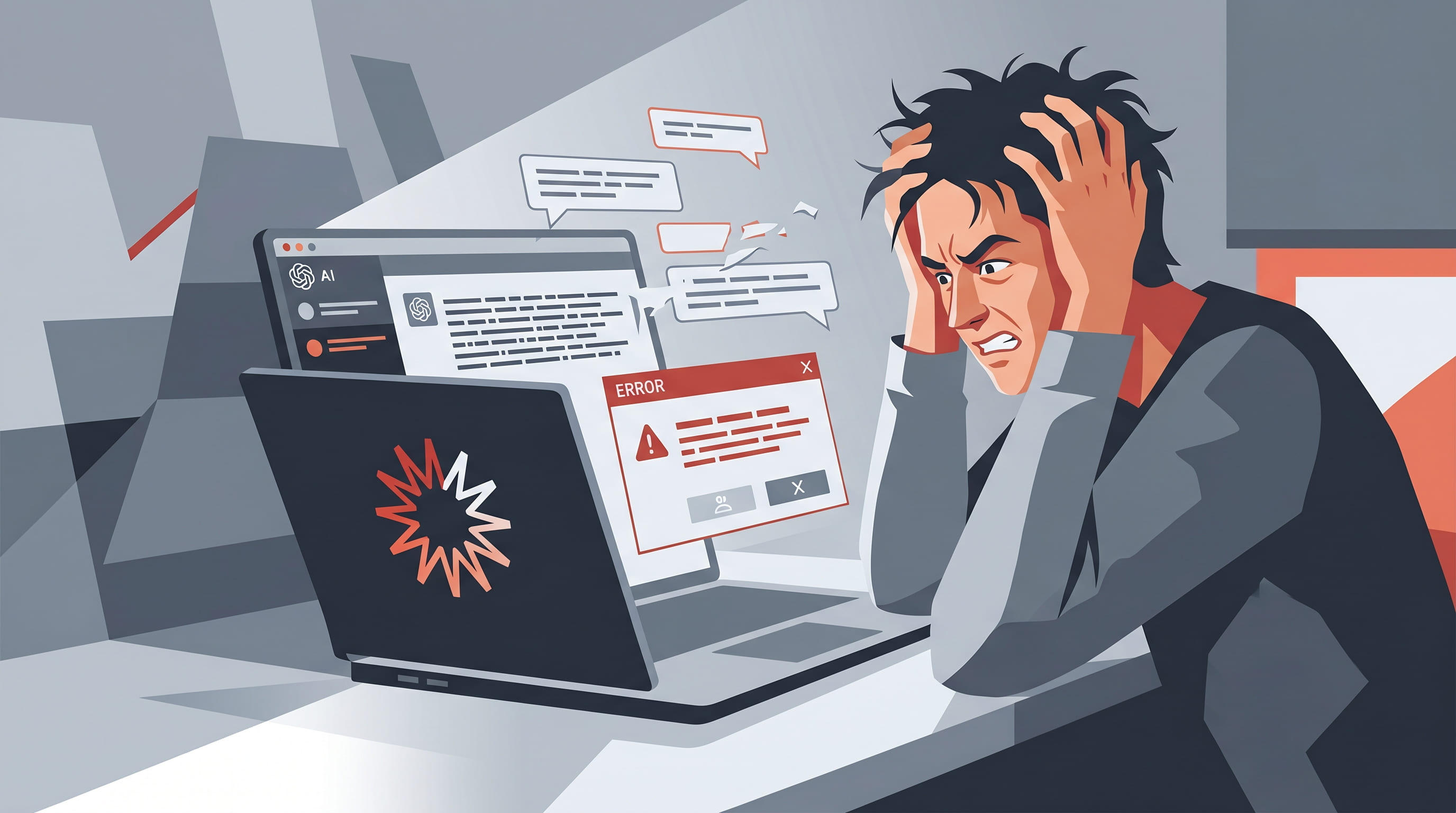
Many teams successfully integrate LLMs and still struggle with adoption. The reason is simple: orchestration and model quality can be strong, while the live user experience still feels inconsistent.Typical symptoms include:
- A noticeable pause after users send a message.
- Unstable streaming that causes text jumps and visual noise.
- Vague loading states that leave users unsure what is happening.
- Errors that are technically accurate but emotionally unhelpful.
- Session behavior that feels different between environments.
Solution: Real-Time UX Architecture for LLM Responses (Acknowledgment, Streaming, States)
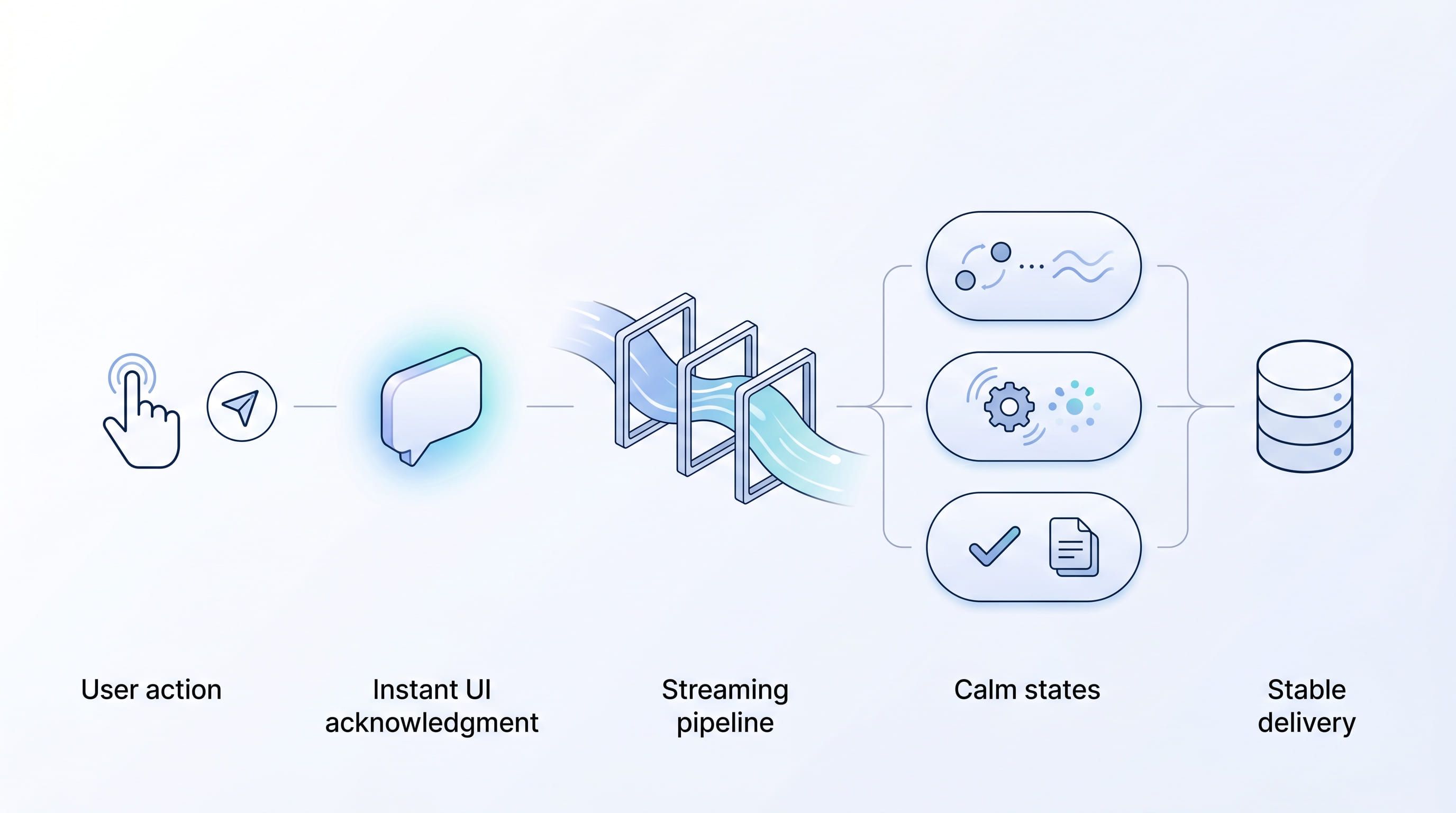
To make LLM-powered interactions feel truly real-time, teams need a layered approach that combines backend orchestration with frontend delivery discipline.
| Real-Time UX Pattern | What It Does | Key Benefit |
|---|---|---|
| Instant acknowledgment | Renders user message instantly and shows a clear assistant 'in progress' state | Reduces perceived waiting time |
| Controlled streaming | Groups token updates into readable intervals and keeps layout stable | Smooth reading continuity, less visual noise |
| Message-first UX design | Uses supportive microcopy for waits, retries, and errors | Users feel in control during delays |
| Operational consistency | Separates static/dynamic routes and keeps config predictable across environments | Reduces hidden friction, protects trust at scale |
| Product-specific enhancements | Adds domain-aware handling and graceful fallback paths beyond orchestration | Moves product from 'AI enabled' to 'AI trusted' |
1. Instant acknowledgment pattern
The UI should confirm user action immediately, before full generation completes.
- Render the user message instantly.
- Show a clear assistant “in progress” state.
- Communicate status progression in plain language.
This reduces perceived waiting time and reassures users that the system is responsive.
2. Controlled streaming, not raw streaming
Streaming should improve clarity, not create motion noise.
- Group token updates into small, readable intervals.
- Keep message layout stable while content grows.
- Avoid excessive jumps in scroll behavior.
The goal is smooth reading continuity, especially for longer or sensitive responses.
3. Message-first UX design
In real-time UI patterns for frontend AI, wording is part of performance.
- Use supportive microcopy for wait states and retries.
- Make error states actionable and non-alarming.
- Keep transitions predictable across all message states.
When communication is clear, users feel in control even during delays.
4. Operational consistency across environments
Perceived speed often breaks due to delivery differences, not model differences.
- Separate static and dynamic routes cleanly.
- Apply strong cache strategy for static assets.
- Keep configuration predictable across staging and production.
Consistency reduces hidden friction and protects user trust at scale.
5. Product-specific enhancements beyond orchestration
Enterprise orchestration platforms provide critical foundations, but user experience outcomes depend on additional product-level decisions.
- Add domain-aware response handling.
- Tune interaction states for your audience expectations.
- Build graceful fallback paths for uncertain model behavior.
Real Example: LLM Integration in Momentum — Supportive Real-Time UI and Frontend AI for IDF Soldiers, Families, and Chat
Momentum is a support platform for IDF soldiers and their families. It is a practical frontend AI case where LLM integration must feel steady and humane: people need immediate acknowledgment, calm communication, and predictable flow — not a cold, technical chat.Momentum used IBM orchestration as a robust foundation for managing LLM workflows. To meet real user needs, however, the team implemented additional improvements on top of that foundation:
- Faster perceived response start through immediate UI acknowledgment.
- Smoother streaming behavior to reduce visual stress.
- Clearer message states with warm, supportive microcopy — not cold system updates — so users feel heard, understand progress, and sense genuine intent to help.
- More resilient error and retry communication for sensitive conversations.
- Frontend and delivery optimizations to keep behavior stable in production.
The takeaway is clear: IBM orchestration enabled reliable workflow coordination, but product success required deliberate real-time UI design and messaging — beyond baseline orchestration alone.
Result: How Real-Time UX Patterns Improve Trust and Adoption in LLM-Powered Support
By applying these performance patterns, teams typically see improvements that matter to both users and stakeholders:
- Higher trust in AI interactions.
- Better completion rates in chat journeys.
- Lower drop-off during the initial response wait.
- More consistent product perception across environments.
- Stronger alignment between technical capability and user expectations.
In high-sensitivity scenarios — such as support for service members and families — these gains are even more valuable, because interaction quality is part of service quality.
— Daria Boiko, Agentic Solutions Engineer
If your team is planning LLM integration for customer-facing products, prioritize the full real-time UI experience — not just model output speed. The strongest outcomes come from combining orchestration reliability with intentional frontend AI UX and messaging design.Explore how we build production-grade AI experiences: EGO Digital.
Do you have any questions about Product Design & Development?
Ask Daria Boiko – Agentic Solutions Engineer!
Recent Articles


Your AI Is Quietly Moving Your Data Across Borders
In the age of AI, data sovereignty is about control — not location.

Observability and Analytics: You Can't Deploy an Agent You Can't See
An autonomous agent in a demo looks like magic. The same agent in production, three weeks later, is often quietly pulled back out. The gap between those two moments is almost never the model. It is whether anyone could actually see what the agent was doing.

Your Next Competitor Has No Capital
Every few weeks, someone asks me whether AI is a bubble. Usually it's a sharp person — an investor, a board member, a fellow founder — and they ask while glancing at a stock chart that has gone vertical. It's a fair question. It's also aimed at the wrong object.
THE FUTURE IS AI-NATIVE.
LET'S BUILD IT WITH YOU.
Partner with us to design and deploy AI-native systems.